Spelling#
Enable spell checking in Preferences → Spelling to underline misspelled words and show suggestions in the editor's context menu. It is disabled by default. The --disable-spellcheck command-line option disables it for the current session.
MarkText uses Electron's built-in spell checker: Hunspell on Linux and Windows, and the native system checker on macOS.
Languages
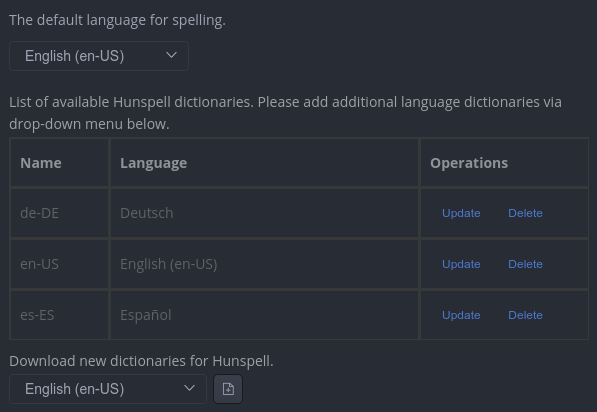
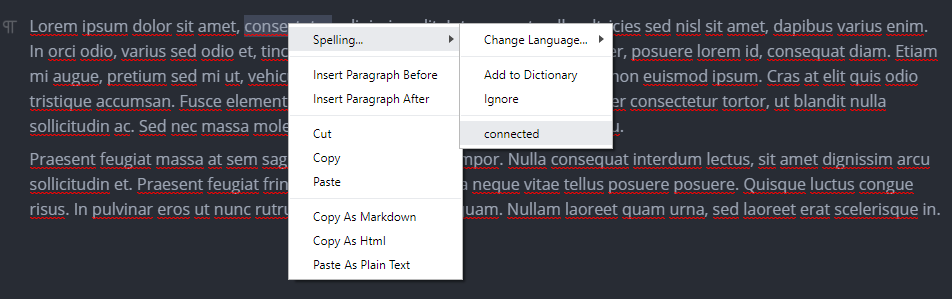
On Linux and Windows, select the default language in Preferences → Spelling. The choices come from Electron's available dictionary list. Use Spelling → Change Language in the editor context menu to switch the current editor's language without changing the saved default. Electron downloads required Hunspell dictionaries automatically; an internet connection may be needed.
On macOS, language detection is handled by the system. The automatic-detection control is always enabled and cannot be changed in MarkText. Manage spelling languages in macOS system settings.
Hide spelling marks
Enable Don't underline spelling mistakes to hide underlines while retaining context-menu suggestions.
Custom dictionary
Right-click a misspelled word and choose Add to Dictionary to accept it. On Linux and Windows, the custom dictionary list in Preferences → Spelling lets you remove previously added words. MarkText does not provide a separate Ignore command or a manual dictionary-installation list.